01 · AI & Automation
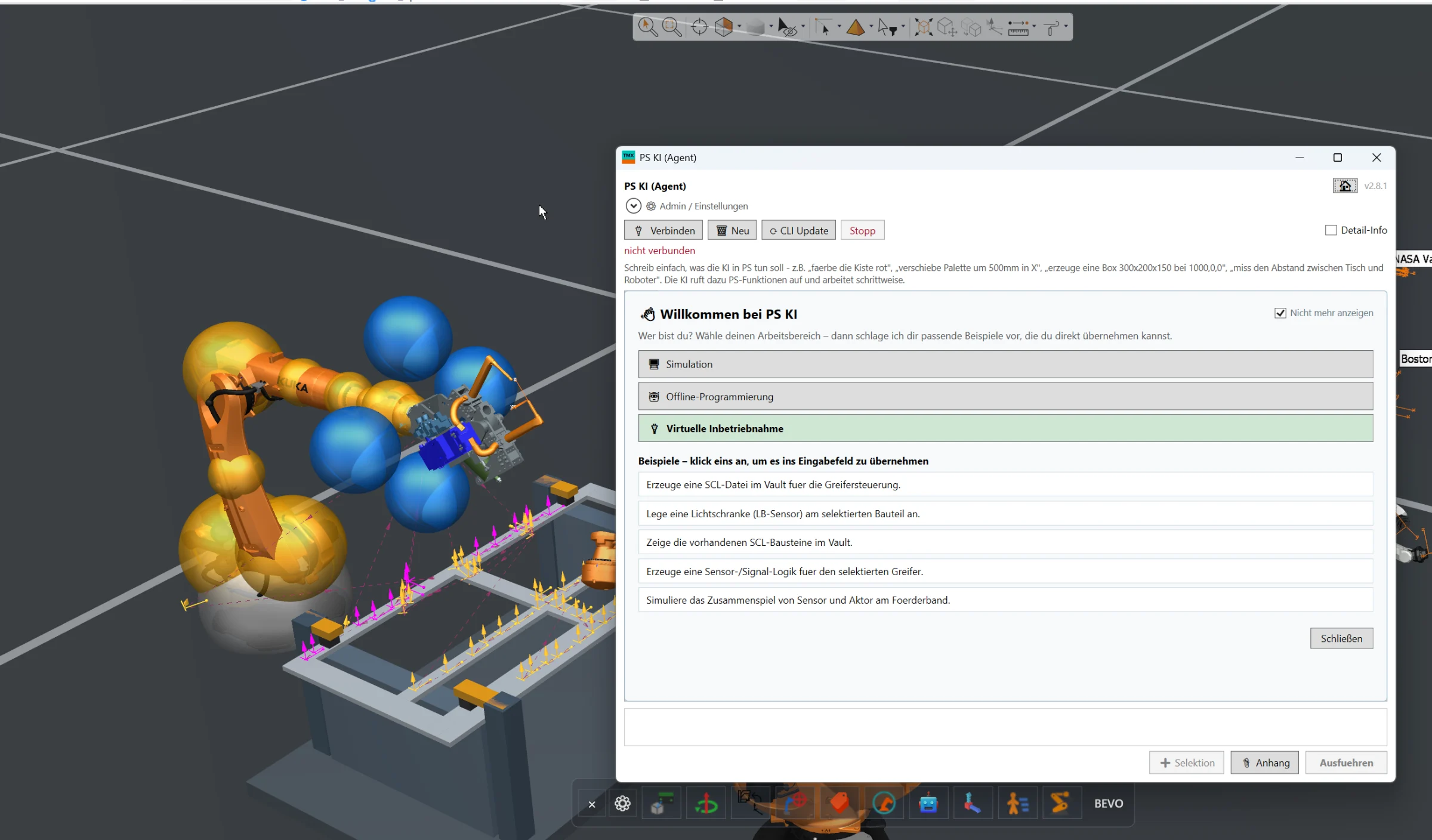
AI Assistant
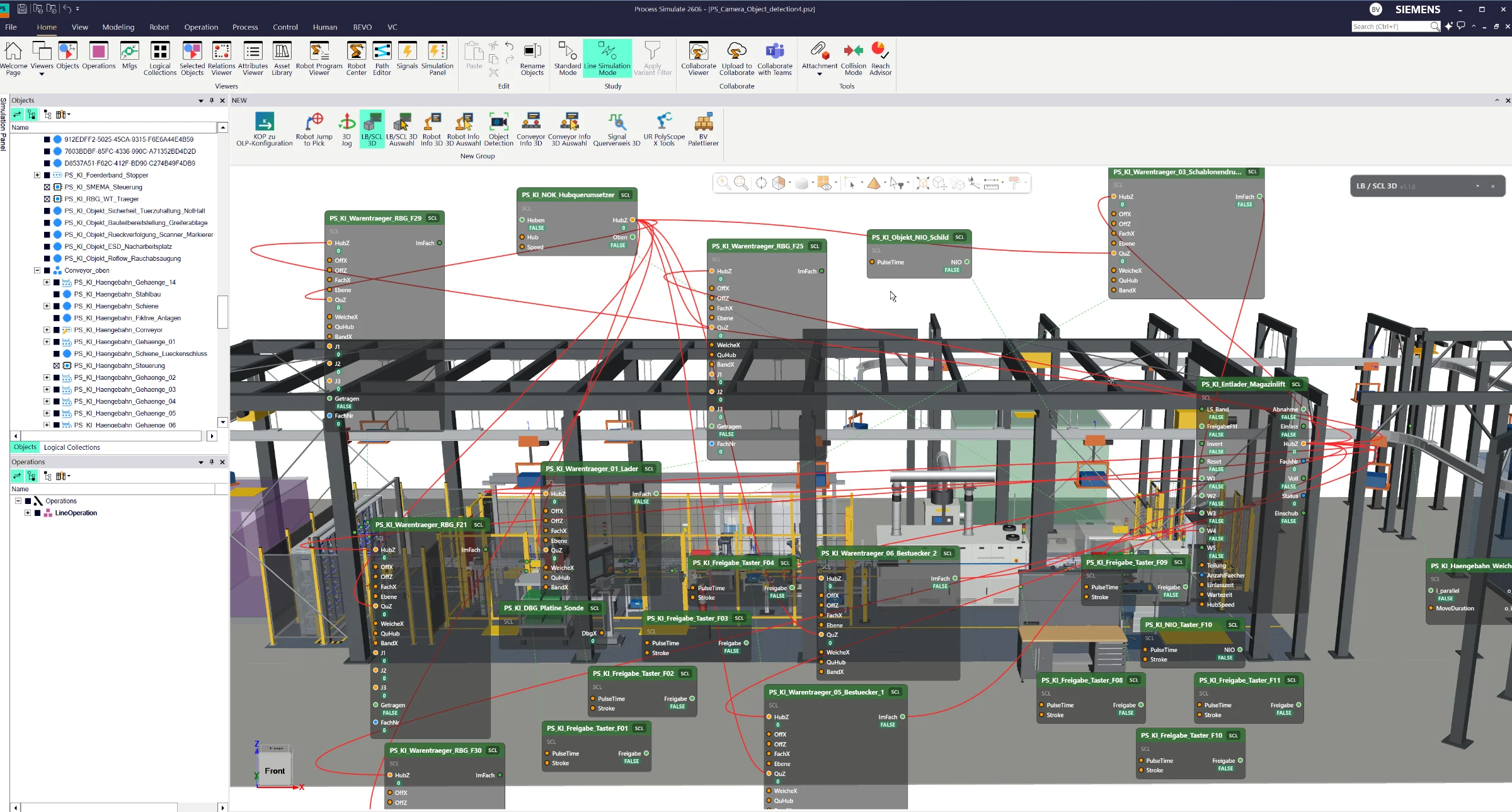
Full AI integration directly inside Siemens Process Simulate for engineering automation, simulation assistance, offline programming and virtual commissioning workflows.
Create, simulate and optimize complete manufacturing sequences directly in Siemens Process Simulate Standard Mode — with wizard-based program generation, collision analysis, robot interlocks, 3D visualization and Gantt-based cycle-time optimization.
The Simulation Sequencer is a powerful add-on for Siemens Process Simulate designed especially for planners and early simulation phases.
It allows users to create and simulate complete manufacturing sequences even before detailed robot programming or PLC logic is available.
Using a guided wizard, the engineer can define how the station should behave step by step.
The user can select robots and resources, define which operation should start first, specify subsequent operations, control visibility states and define interactions between different resources.
Based on this information, the Sequencer can automatically generate a complete executable sequence that can be tested directly in Process Simulate Standard Mode.
This makes it possible to validate the basic station behavior at a very early project stage using preliminary robot paths and available simulation resources.
A key feature of the Sequencer is its integrated collision analysis.
Robot movements can be automatically evaluated to identify potential mechanical collisions between robots and other relevant resources.
When a possible robot-to-robot collision is detected, the Sequencer provides different options for improving the sequence.
Additional motion points can be introduced so that robot interlocks do not have to block unnecessarily large movement areas. This allows robots to approach the potential collision zone more closely before synchronization becomes necessary.
The Sequencer can also automatically generate robot-to-robot interlocks for Process Simulate Standard Mode.
During simulation, the robots can then wait dynamically until the required collision zone has been released by another robot.
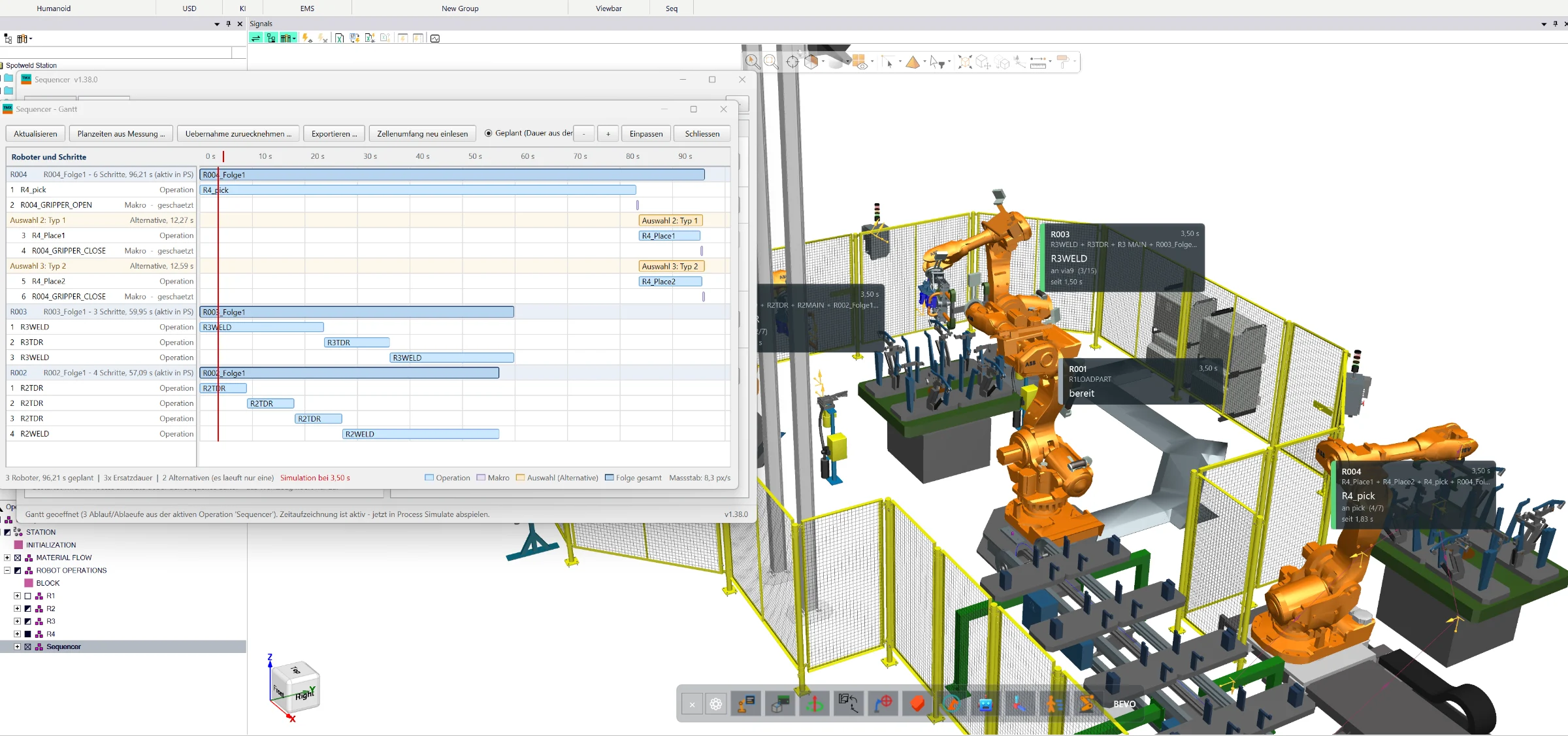
The current sequence status can additionally be visualized directly in the 3D environment.
This allows the user to see which robot is currently active, which zone is occupied, where a robot is waiting and how the individual robot cycle times develop.
For further analysis and optimization, the complete sequence can be displayed in an integrated Gantt diagram.
The Gantt view provides a clear overview of robot movements, operation dependencies, waiting times and the overall timing of the station.
Operations can be reordered, modified or shifted to evaluate alternative sequence strategies and reduce the overall cycle time.
The optimized sequence can then be transferred back into the Process Simulate sequence workflow and tested directly in Standard Mode.
The result is a powerful planning environment that allows engineers to create, validate and optimize complex station sequences before detailed automation logic is available.
The exact workflow, visualization, optimization functions and supported resource types can be adapted to the customer's Process Simulate environment and project requirements.
Full AI integration directly inside Siemens Process Simulate for engineering automation, simulation assistance, offline programming and virtual commissioning workflows.
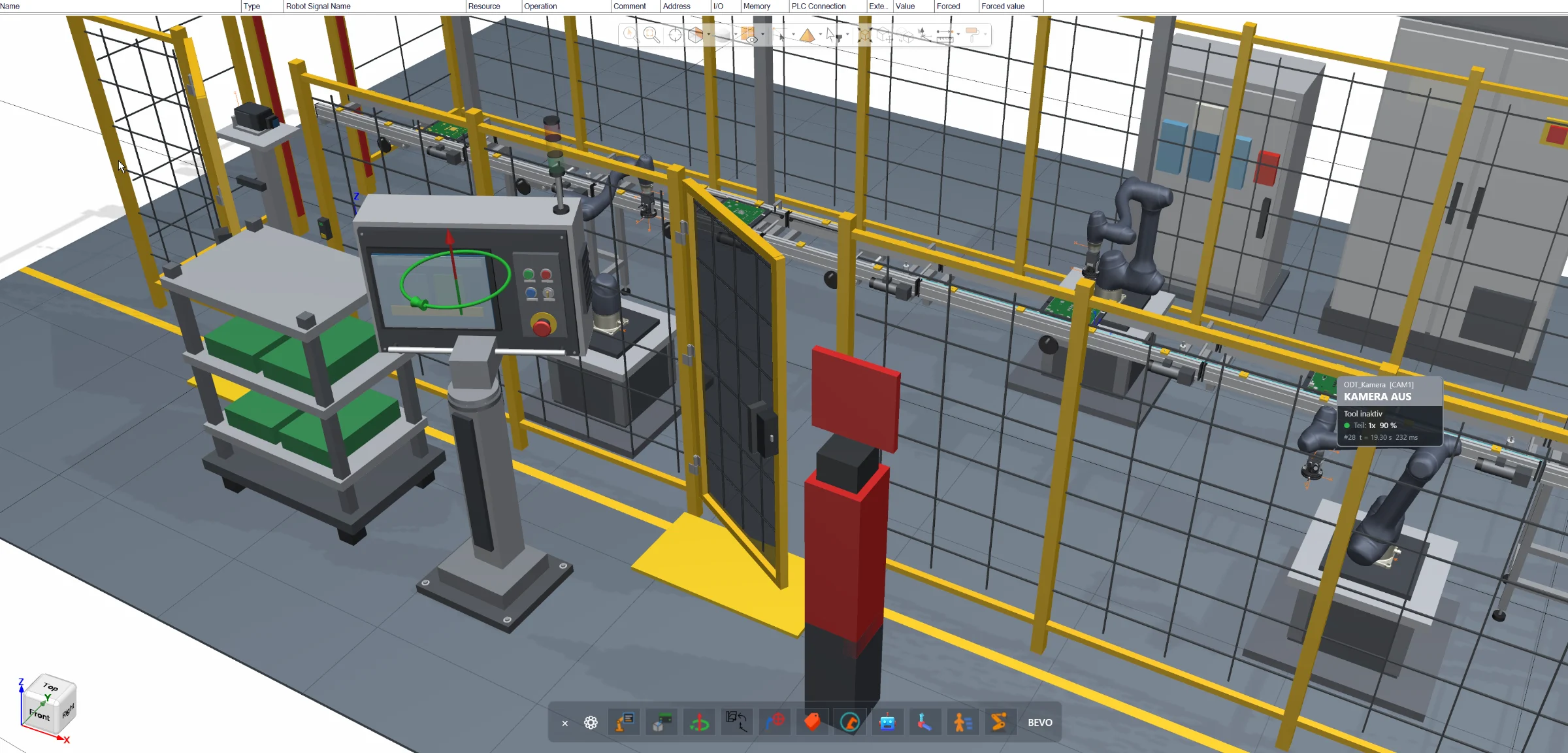
Direct joint manipulation inside the Siemens Process Simulate 3D environment for robots, resources and conveyors — without opening additional joint control windows.
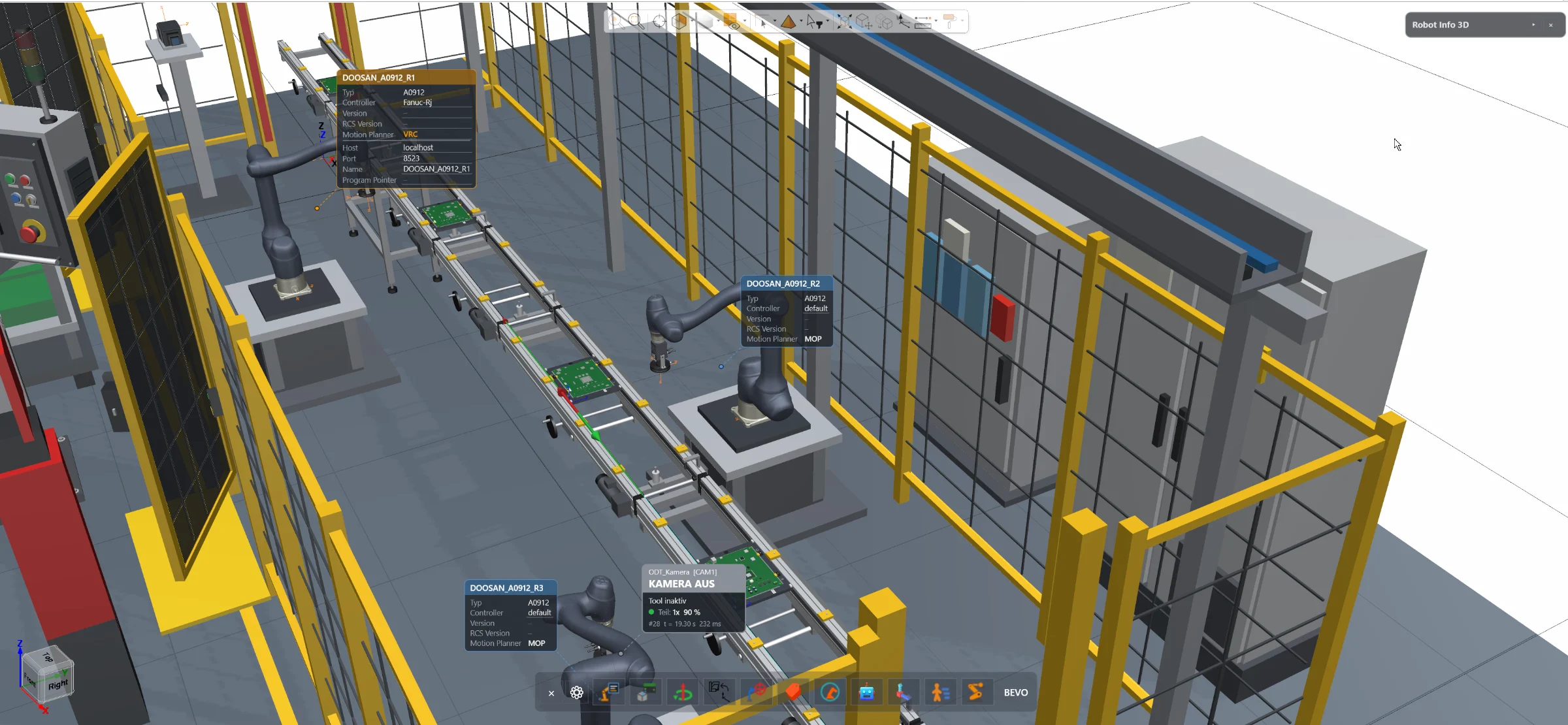
Access essential robot information and configuration directly inside the Siemens Process Simulate 3D environment — without opening the separate Robot Center window.